

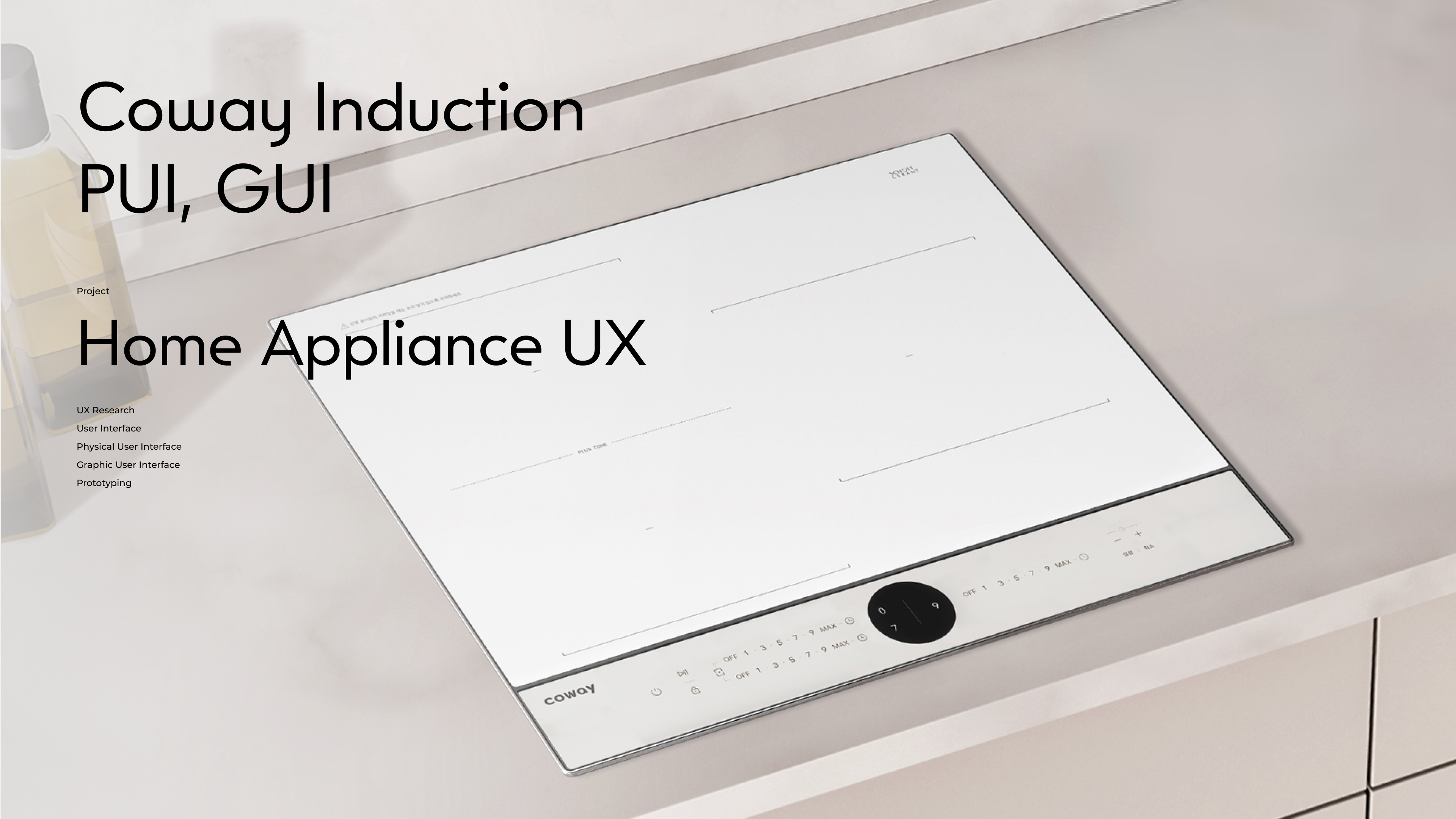
Overview
Coway 인덕션 W의 UI, GUI, PUI 디자인 작업에 참여했습니다.
새롭게 도입된 디스플레이와 터치 버튼 간의 인터랙션을 설계하여, 직관적이고 일관된 조작 경험을 제공할 수 있도록 사용자 흐름을 개선했습니다.
Participated in the UI, GUI, and PUI design for Coway Induction W.
Designed the interaction between the newly introduced display and touch buttons to provide an intuitive and consistent user experience through improved operation flow.
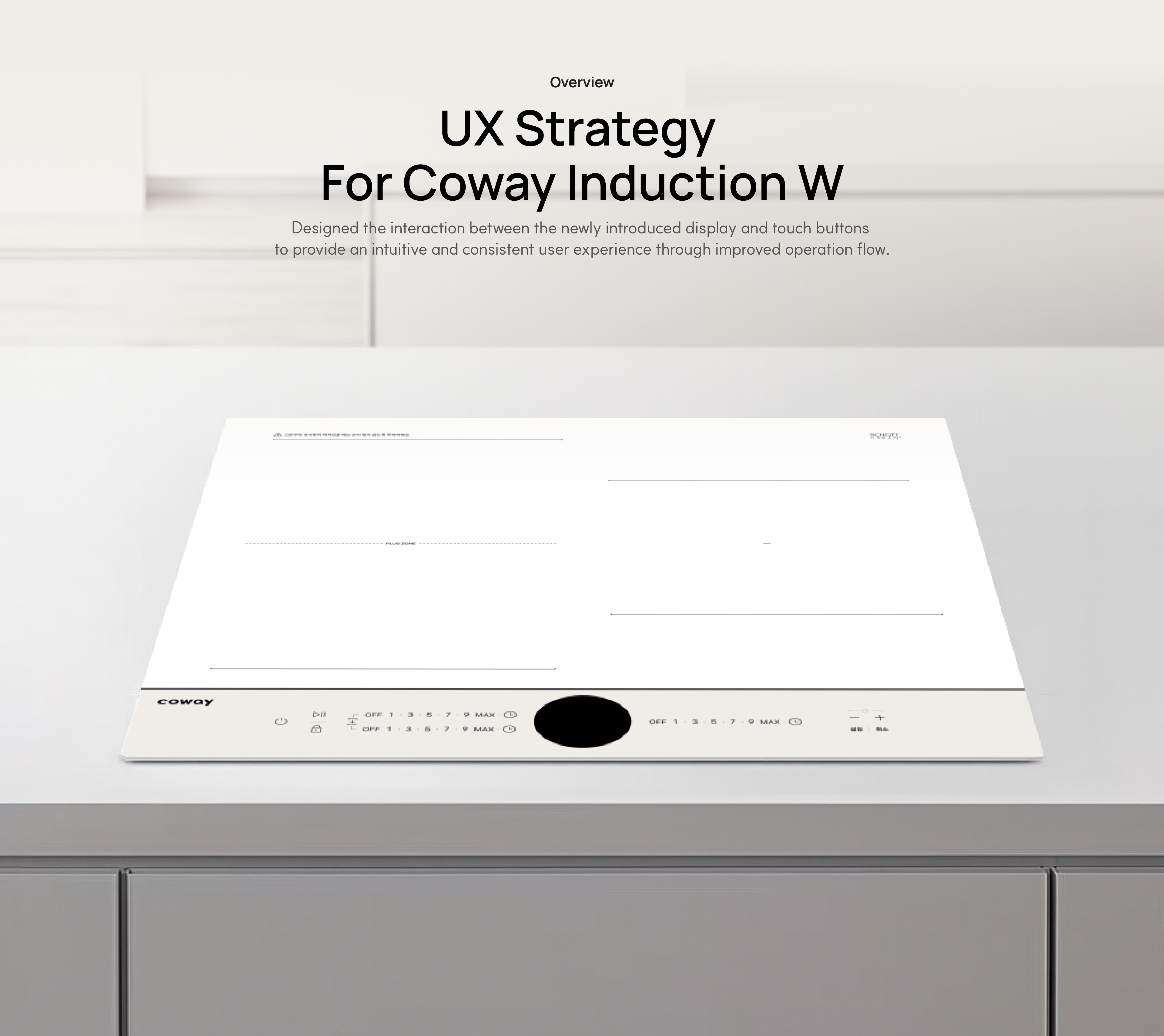
UX Research
실사용자의 가정에 방문하여 인덕션 사용 행태를 관찰하고, 심층 인터뷰(IDI)를 통해 고객의 숨겨진 니즈와 불편 요소(pain point)를 도출했습니다.
리서치 결과는 향후 제품 개선 및 UI 설계 방향 수립에 기반 자료로 활용되었습니다.
Visited users’ homes to observe real-life induction usage behavior and conducted in-depth interviews (IDIs) to uncover hidden needs and pain points.
The research findings served as a foundational input for future product enhancements and UI design decisions.
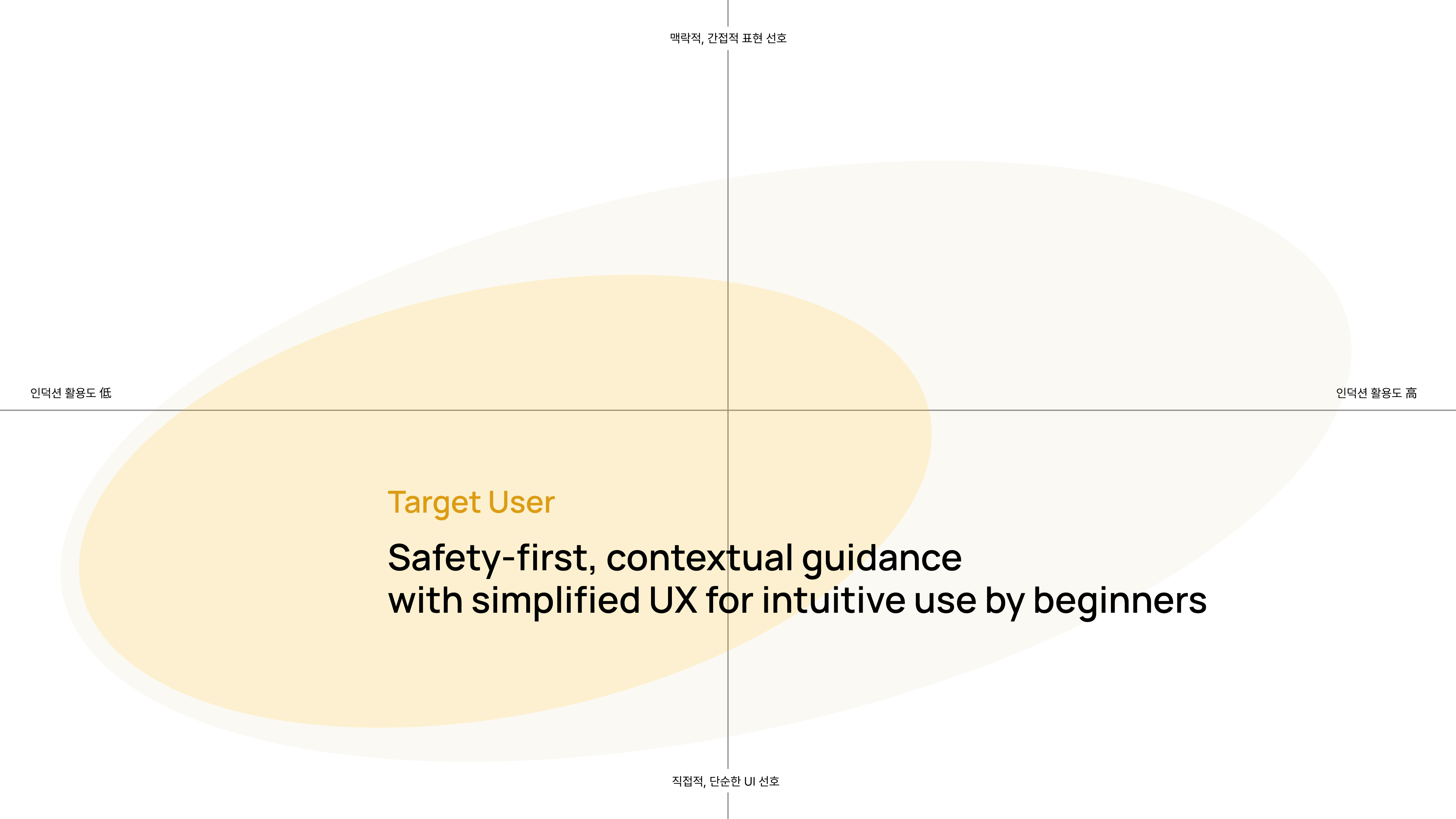
Target User
조사 결과, 인덕션 사용자 타겟은 제품의 부가 기능을 활용하지 않는 초보 사용자로 설정했습니다.
이에 따라 사용자 안전을 최우선으로 고려하고, 다양한 사용 맥락에 맞춘 안내와 직관적이고 단순한 인터랙션 경험을 제공하는 UX 전략을 수립했습니다.
Target User Definition and UX Strategy
Based on research findings, the target users were identified as beginners who do not utilize advanced features of the induction product.
To address their needs, we prioritized user safety and designed a user experience that delivers clear contextual guidance and an intuitive, simplified interaction flow.
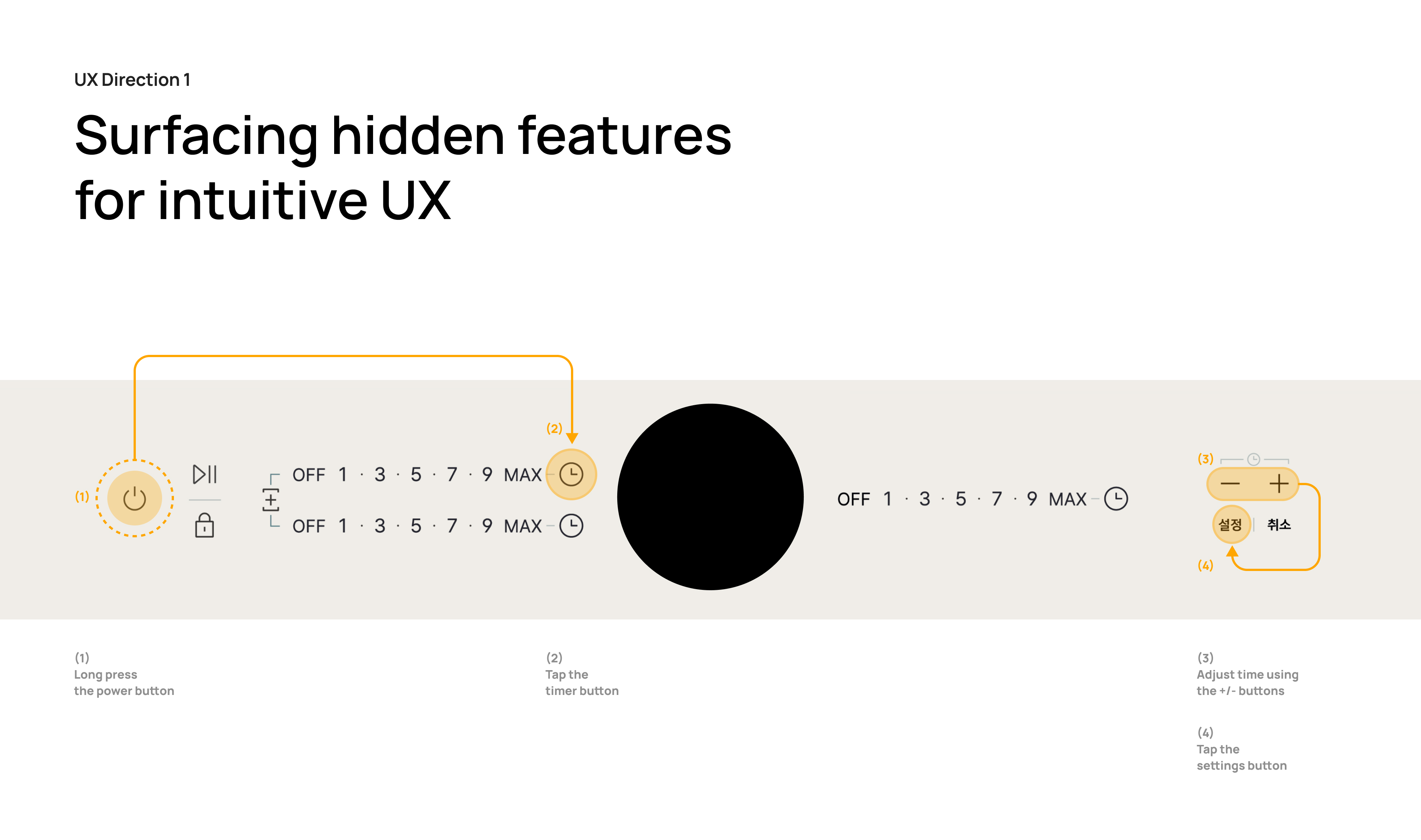
UX Direction 1
기존 타사 제품은 타이머 설정 시 필요한 버튼이 누락되거나, 하나의 버튼에 여러 기능이 통합되어 사용자가 혼란을 겪는 경우가 많았습니다.
이에 따라, Coway 인덕션 W는 기존에 숨겨져 있거나 통합되어 있던 기능들을 직관적으로 드러내는 UI 구조를 설계하여, 초보자도 맥락을 쉽게 인지하고 조작할 수 있도록 개선했습니다.
Conventional induction products often cause confusion by omitting essential timer control buttons or assigning multiple functions to a single button.
To address this, Coway Induction W exposes previously hidden or merged functions through a more intuitive UI layout,
enabling even novice users to easily understand the context and operate the device with confidence.
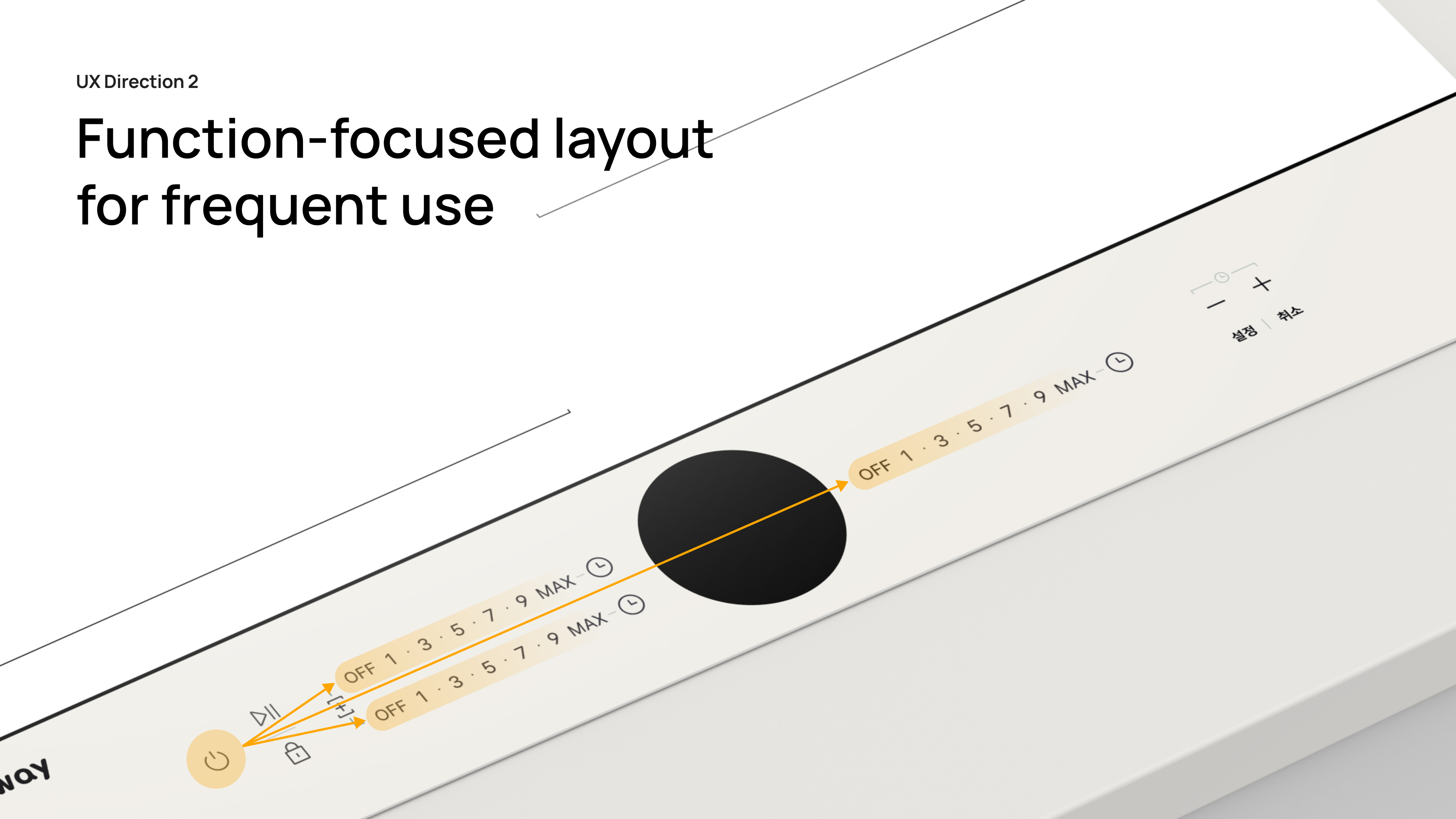
UX Direction 2
사용자 조사 결과, 일부 타사 제품은 일반적인 시선 흐름을 고려하지 않아 조작 동선이 비효율적이라는 Pain Point가 발견되었습니다.
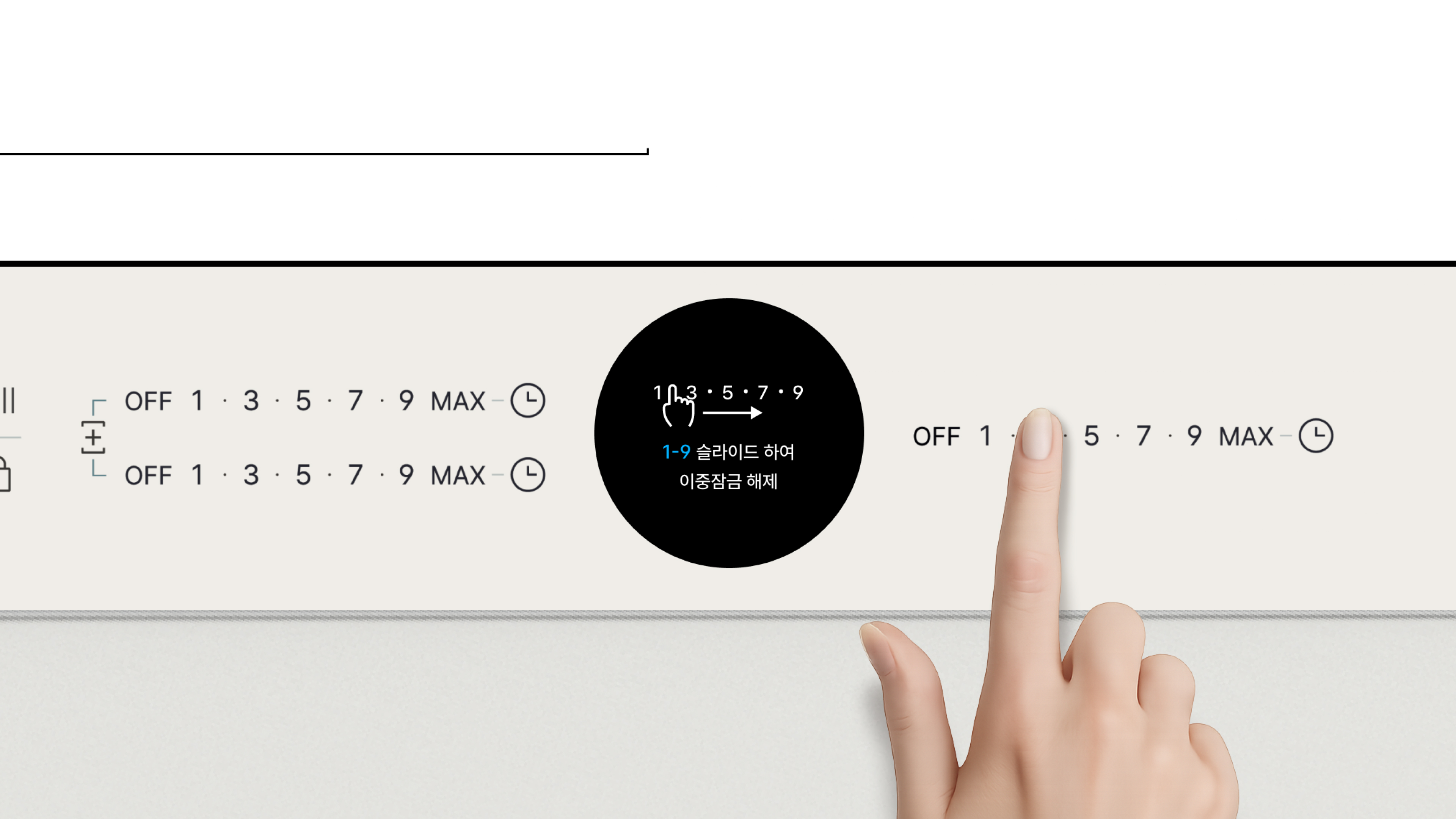
이를 개선하기 위해 사용 빈도가 높은 화력 조절 기능에 집중한 레이아웃을 적용하여, 사용자가 한 방향으로 자연스럽게 조작할 수 있는 흐름을 설계했습니다.
User research revealed a key pain point in competitor products: inefficient control flow due to layouts that disregard typical eye movement patterns.
Coway Induction W addresses this by focusing its layout on high-frequency tasks such as heat level control,
enabling users to operate the device in a smooth, one-directional flow.
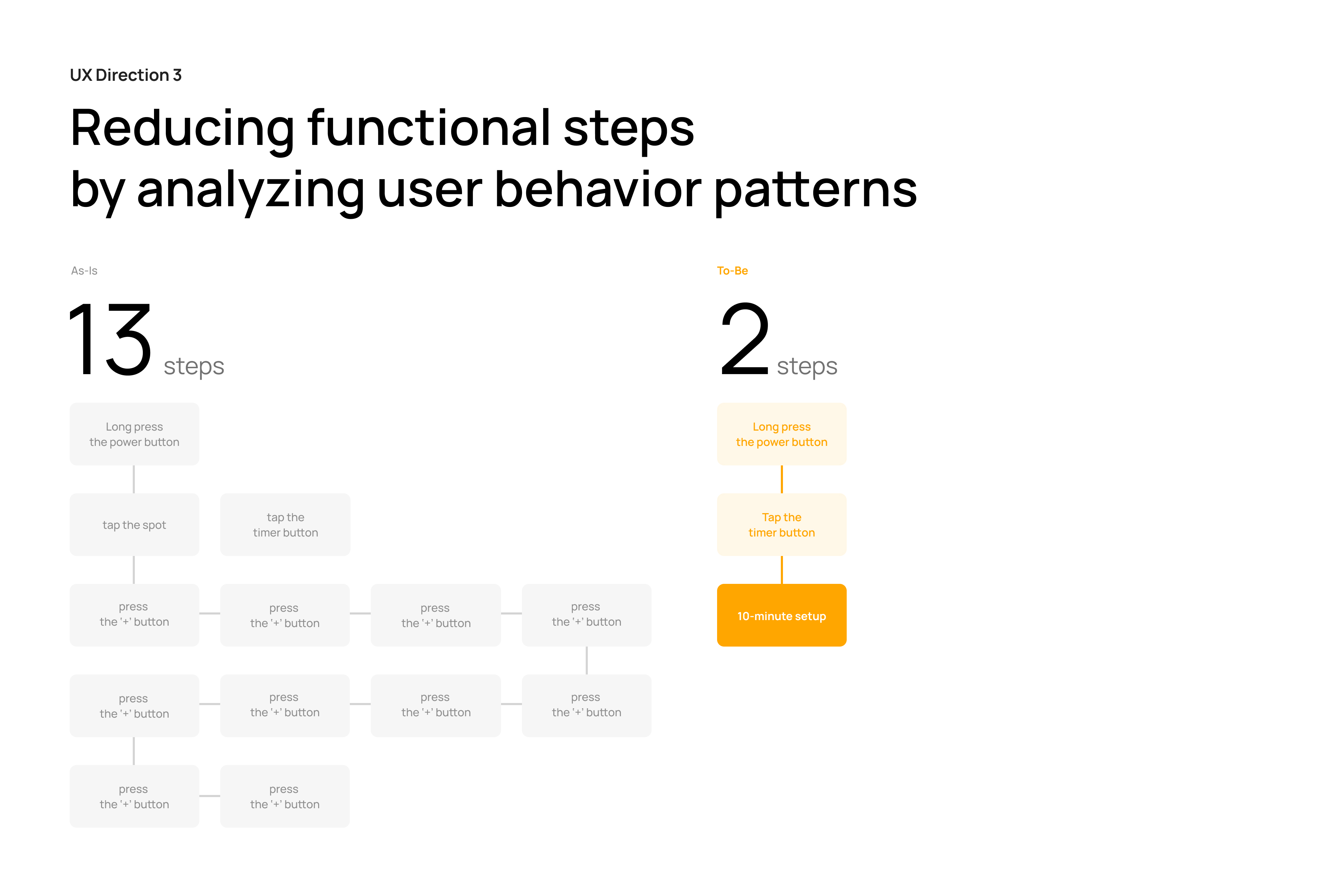
UX Direction 3
사용자 조사 결과, 대부분의 사용자는 요리 타이머를 10~15분 사이로 설정하는 경향이 있었습니다.
하지만 기존 타사 제품은 0분부터 시작하는 방식으로 인해, 10분을 맞추기 위해 최소 13번의 반복 조작이 필요했습니다.
Coway 인덕션 W는 각 화구별 타이머 버튼을 별도로 제공하고, 초기 디폴트 시간을 10분으로 설정하여, 실제 사용 행태에 맞춘 효율적인 UI Flow를 구현했습니다.
User research showed that most users commonly set cooking timers between 10 to 15 minutes.
However, many competitor products start from 0 minutes, requiring at least 13 repetitive taps to reach 10 minutes.
To resolve this, Coway Induction W features individual timer buttons for each burner and sets the default timer to 10 minutes,
enabling a more efficient and user-centric interaction flow.
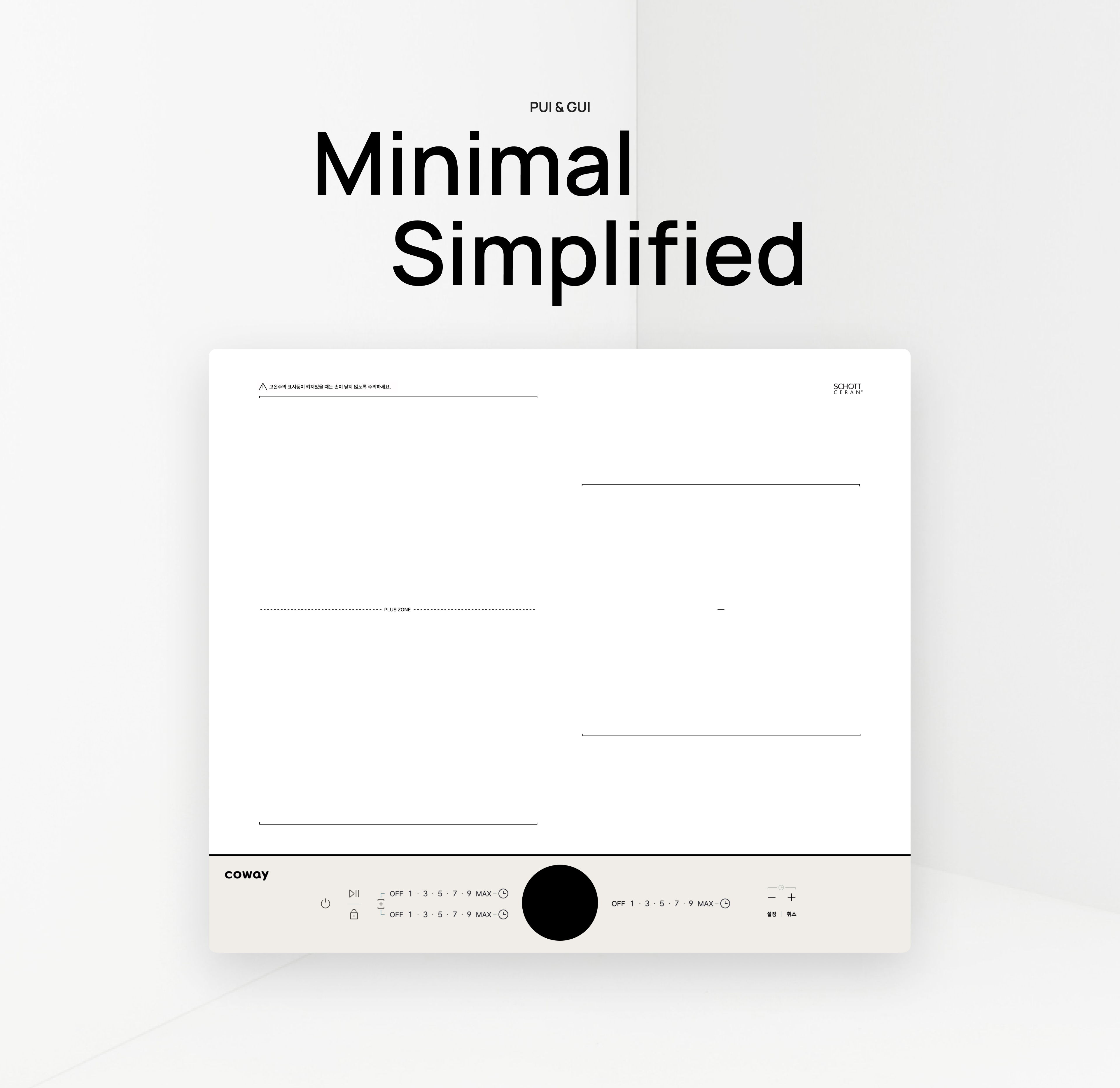
GUI & PUI
화구 그래픽 및 GUI, PUI 아이콘은 미니멀하고 직관적인 디자인으로 구성하여 시각적 복잡도를 줄였습니다.
특히, 화구의 중심과 플러스존(추가 가열 가능 영역)은 냄비를 정확히 놓아야 하는 위치를 명확히 인지할 수 있도록 설계하여, 사용자의 조작 실수를 줄이고 효율적인 사용을 유도했습니다.
The burner graphics and GUI/PUI icons were designed with a minimal and intuitive aesthetic to reduce visual complexity.
In particular, the center of each burner and the ‘Plus Zone’ (expandable heating area) were carefully visualized to help users easily identify the correct placement for cookware, improving usability and reducing errors.
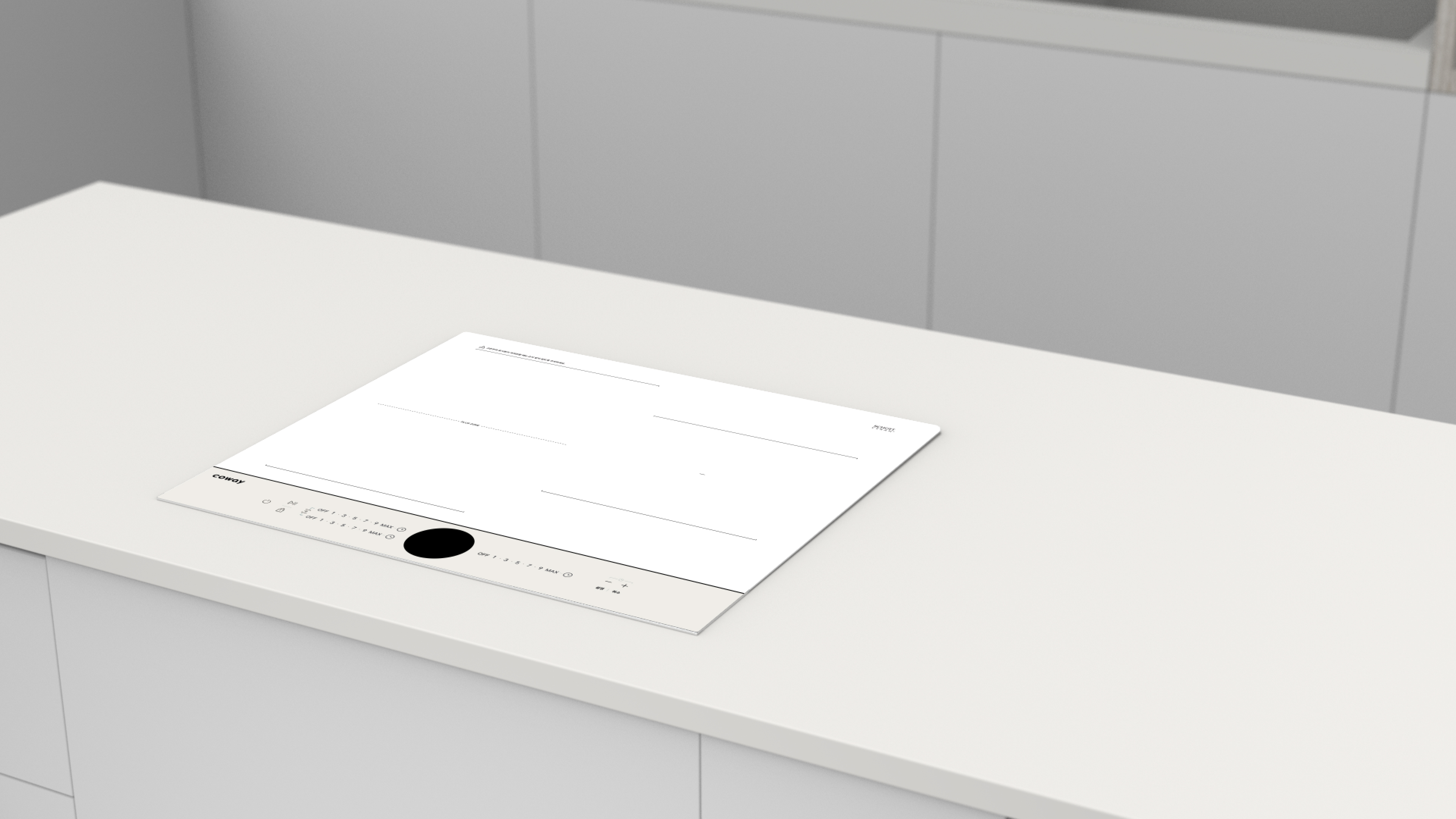
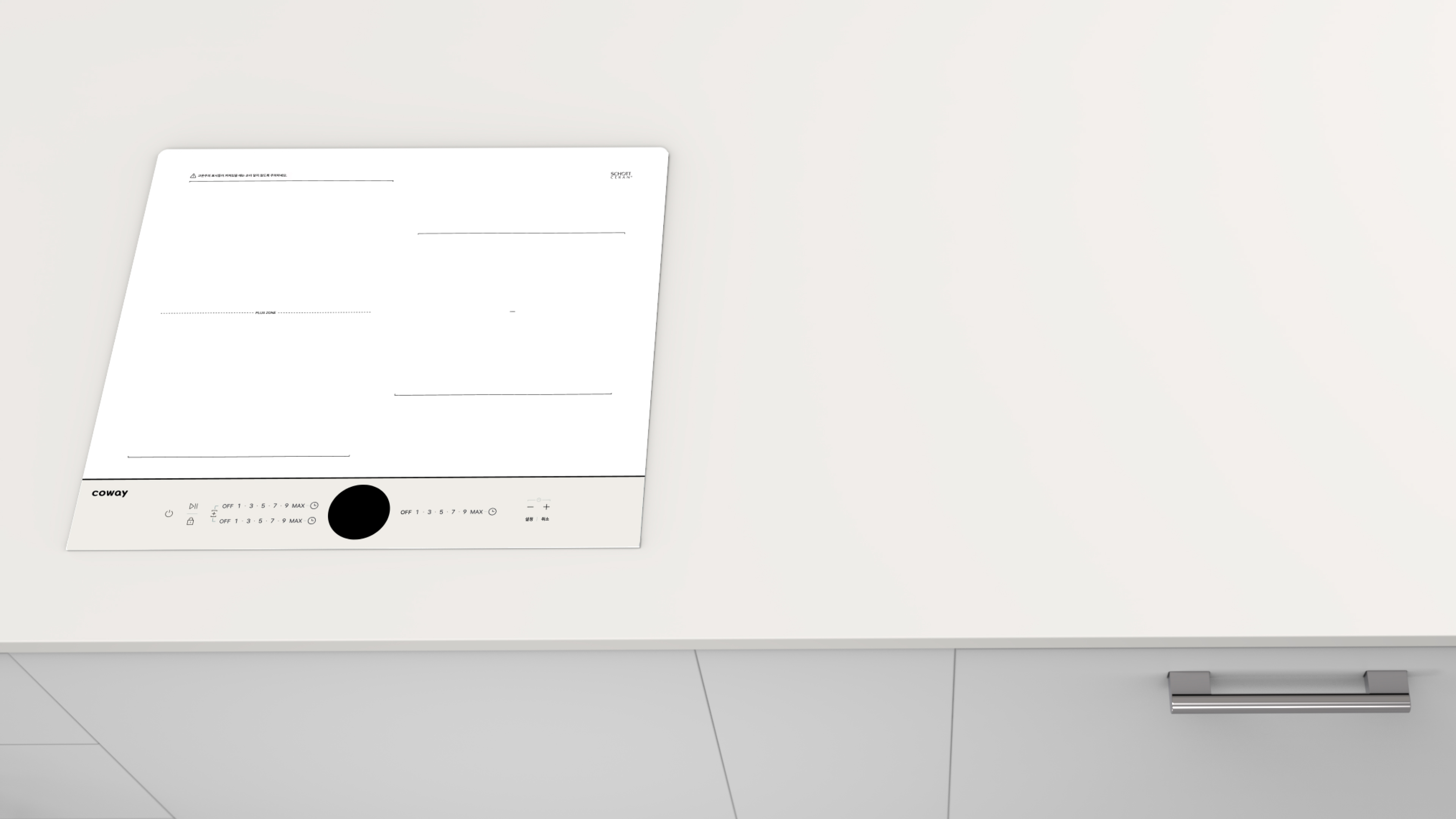
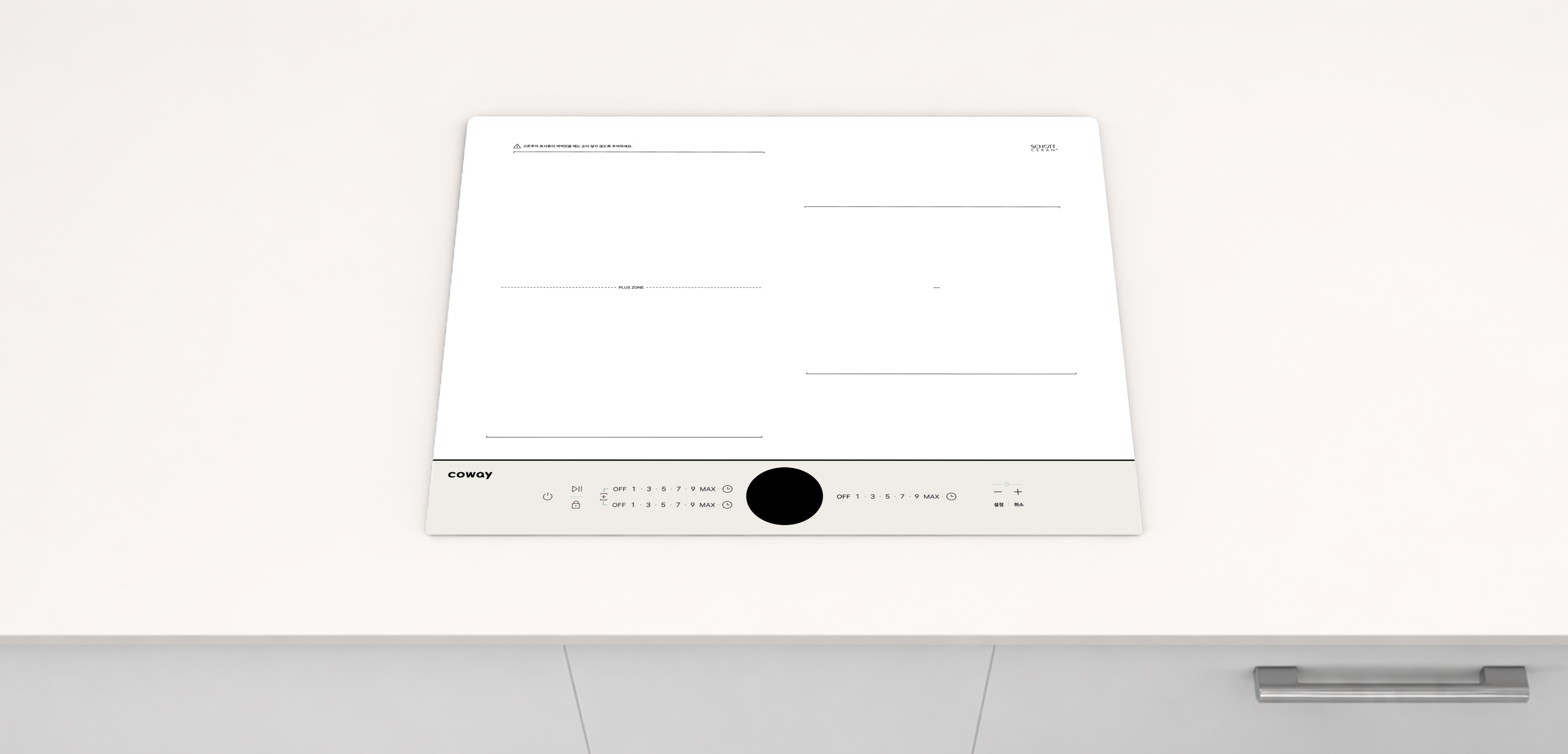
Coway Induction UX, PUI
- Company: Coway / Date: 2022 / Category: UX, PUI